The customer writes the bot.
The whole team answers.
ChatMetrics is a shared inbox for a Telegram customer service bot. Paste the token from @BotFather, and the team replies from the browser. The customer only sees the bot — never a personal account.
No card. No paid plans.

A demo conversation. A photo in the thread opens on click — the same as in the inbox.
01
The bot is the face.
The team stays behind it.
SalesBot bot What the customer sees
- AAnyaanswering from a laptop at the office
- DDimapicked the chat up in the evening
- KKatyaopened the same thread — the whole history is there
What the team sees
A personal Telegram stays personal. The customer never sees a manager’s number or account. The reply comes from the bot.
The thread lives on the bot. Not on someone’s phone: any member of the bot opens the chat and sees all of it.
Replies come from the browser. Not from a shared group where everything is mixed together, but from an inbox with a list of chats.
02
This is the real inbox, not a picture from a pitch deck.
A screenshot of app.chatmetrics.bot. Click a marker to see what it is.
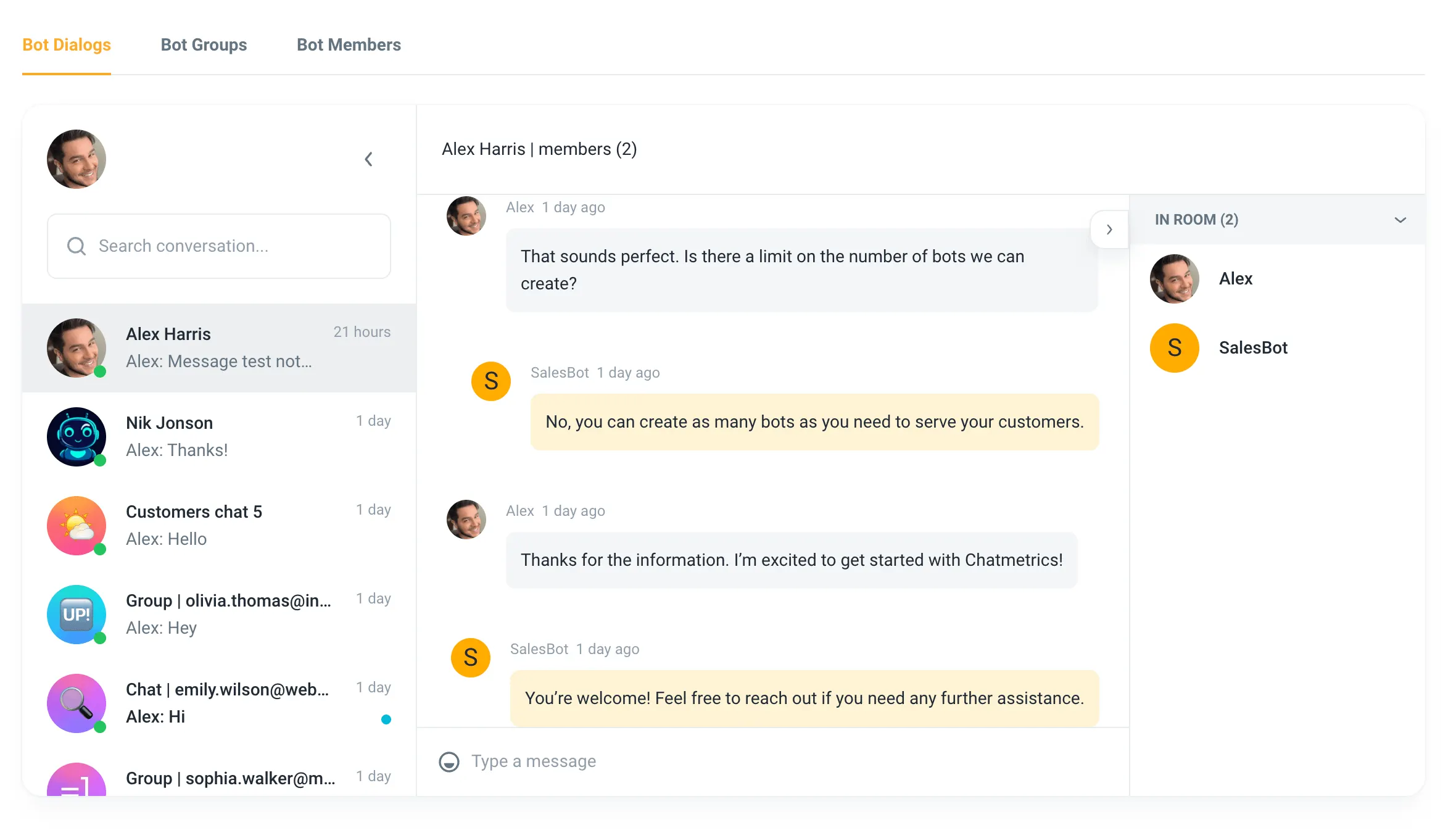
- Dialogs, groups, membersThree tabs of one bot: private chats, group chats with customers, and who from the team is connected.
- Everyone who wrote to the botThe conversation list, with the last message and search.
- Grey is the customer, yellow is the botYellow marks what the customer received, sent in the bot’s name.
- Who is in the roomWho is part of this conversation.
- The replyYou write here. The customer gets a message from the bot.
03
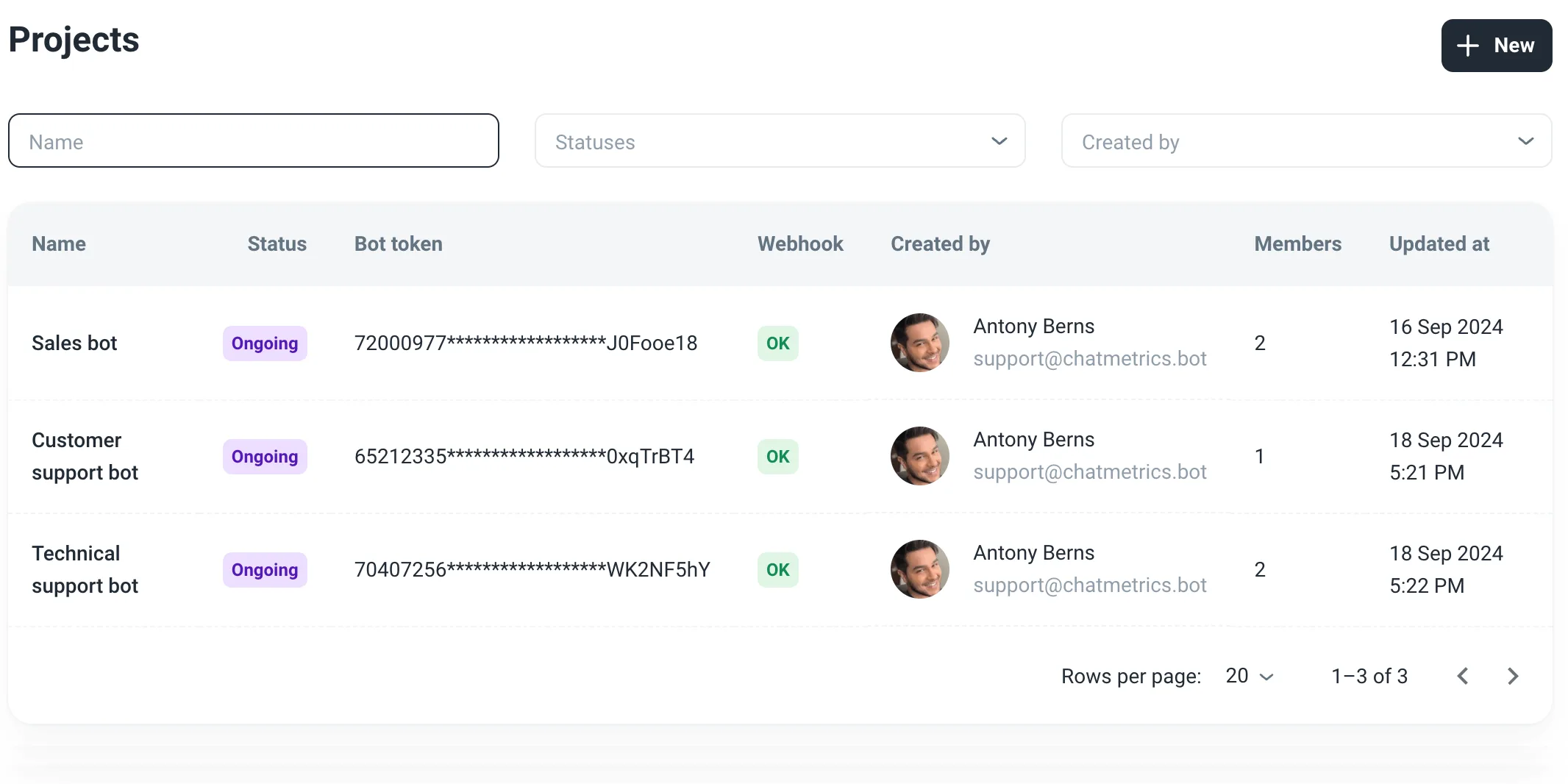
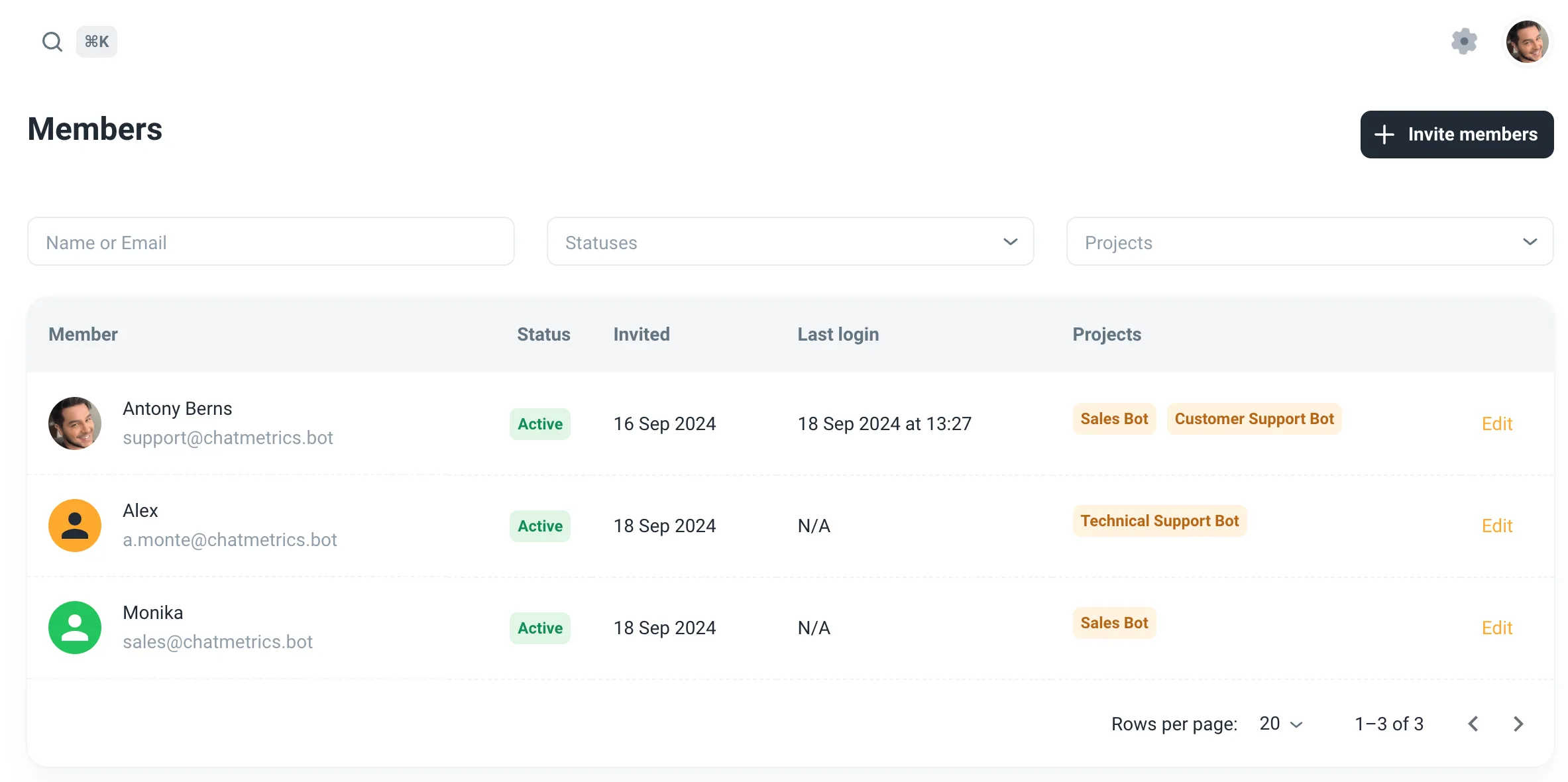
Several people on one bot. Several bots in one list.
The diagram below is taken from the real members table in the screenshot. Hover a person or a bot.
Bots
Sales BotCustomer Support BotTechnical Support BotMembers
04
Photos sit in the thread
A customer sends a photo — it stays in the thread and opens full screen. You can send a photo back from the inbox.
↑ click the photo
05
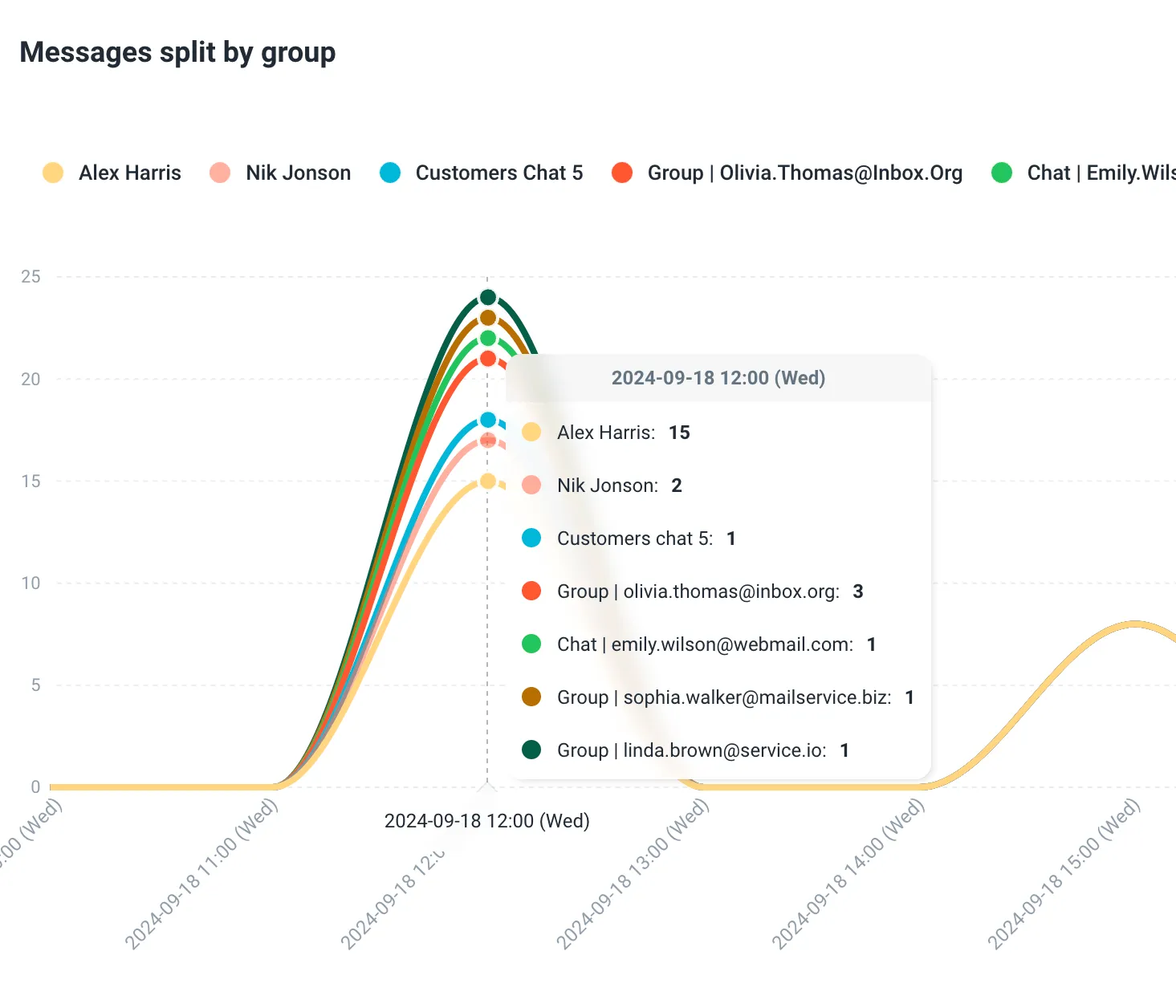
How much they wrote, and when
Messages by conversation — you can see which hours customers write the most.
06
Four steps.
No developer needed.
- 1
Create a bot in @BotFather
Send
/newbot, pick a name and a username. BotFather sends a token — copy it./newbotAlright, a new bot. How are we going to call it?Sales BotDone! Use this token to access the HTTP API:
7200097731:AAH••••••••••••••••••J0Fooe18 - 2
Turn privacy mode off
Same place:
/setprivacy→ your bot → Disable. Otherwise the bot will not see messages in a group./setprivacyChoose a bot to change group messages settings.EnableDisableSuccess! The new status is: DISABLED. - 3
Add the bot to ChatMetrics
In the inbox, create a bot: a name and the token. Invite colleagues — they show up as members.
Create - 4
The customer writes the bot
Add the bot to a group with the customer — or have them send the bot
/start. The chat appears in the inbox.You added SalesBot to the groupor/startMNew chat in the inbox
Free. No card.
No pricing grid.
You sign up and use it. There is no checkout in the product. If the team is large and you need to talk it through, write to support@chatmetrics.bot.
Will the customer see my personal account?
Is this a Telegram CRM?
The bot is silent in a group with the customer. Why?
/setprivacy → your bot → Disable. After that the bot sees group messages.